
How Small Businesses Can Use Google Labs to Market Smarter (and Cheaper)

In today's digital landscape, standing out doesn't have to mean spending big. For small businesses and creators, the real challenge has always been: How do you produce professional, high-quality visuals without hiring a designer or videographer?
That equation is changing—fast—thanks to Google Labs, a suite of free and experimental AI tools designed to level the creative playing field.
What Is Google Labs?
Google Labs is Google’s incubator for AI-powered creative tools built on Gemini and Imagen 3. Unlike traditional content tools, Labs is made for speed, simplicity, and scale—making it perfect for small businesses who want to move fast and look sharp.
As a strategist and AI practitioner, I tested these tools to see how they could help real businesses punch above their weight. The results? Genuinely impressive.
Real-World Example: Dorothy's Sweet Shoppe
Let’s take Dorothy’s Sweet Shoppe in Lincoln Square as an example. This mission-driven bakery trains adults with developmental disabilities through hands-on baking and customer service.
Lets say they want to promote their chocolate crinkle cookies ahead of Halloween. But instead of waiting for production to begin, they use ImageFX to generate styled, professional images in minutes
No photo shoot needed!
ImageFX: Visual Content, No Camera Needed
✅ Pick your format (portrait or landscape).
🖊️ Write a vivid prompt with sensory details.
🎨 Use ImageFX to simulate products.
📸 Download and share instantly—no shoot, no edit.
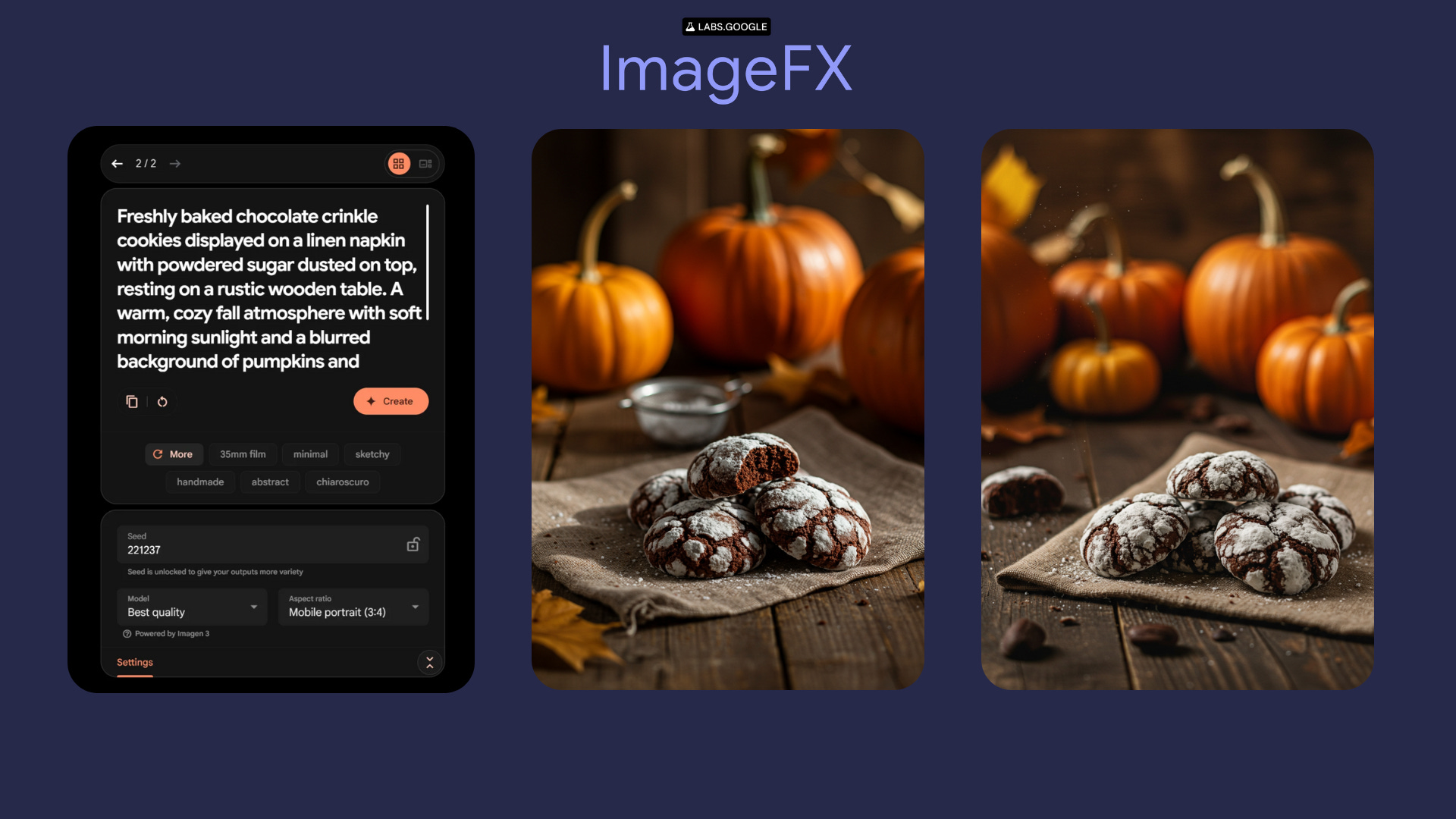
Prompt used:
"Freshly baked chocolate crinkle cookies displayed on a linen napkin with powdered sugar dusted on top, resting on a rustic wooden table. A warm, cozy fall atmosphere with soft morning sunlight and a blurred background of pumpkins and autumn leaves. Styled for organic social media, realistic food photography, shallow depth of field."
Try this for your next product launch or seasonal campaign.
Next, Brand the Image in Under 10 Minutes
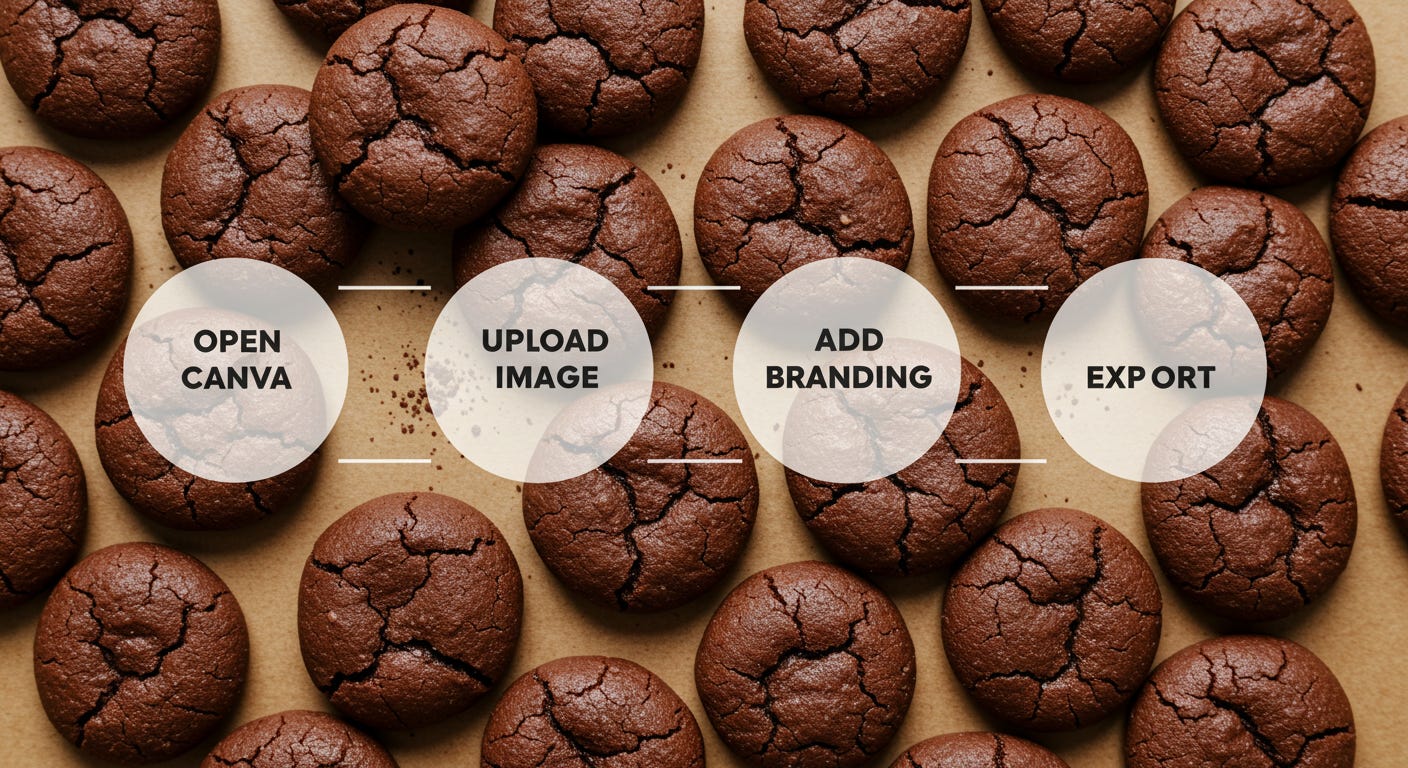
Open your created ImageFX in Canva (or any design tool). Upload your logo and position it in a corner or along the top. Add a simple caption like:
"Crinkle Cookies are back this October!"

Then download and post. No editing. No production budget. Just a sharp, on-brand post in minutes.
No Canva? No Design Tools? Google Whisk Has got you covered!
Simple Branding Without Design Tools
🔤 Upload your transparent logo as the subject.
🖼️ Add your AI-generated image as the scene.
🖌️ Re-upload it as the style to keep things cohesive.
🎲 Roll the dice until a version feels right.
Note: Whisk won’t copy your logo/images exactly — it remixes it. So make variations until you generate something you like! Use this to stay ahead of the content calendar without extra cost.
Lets look at how this works
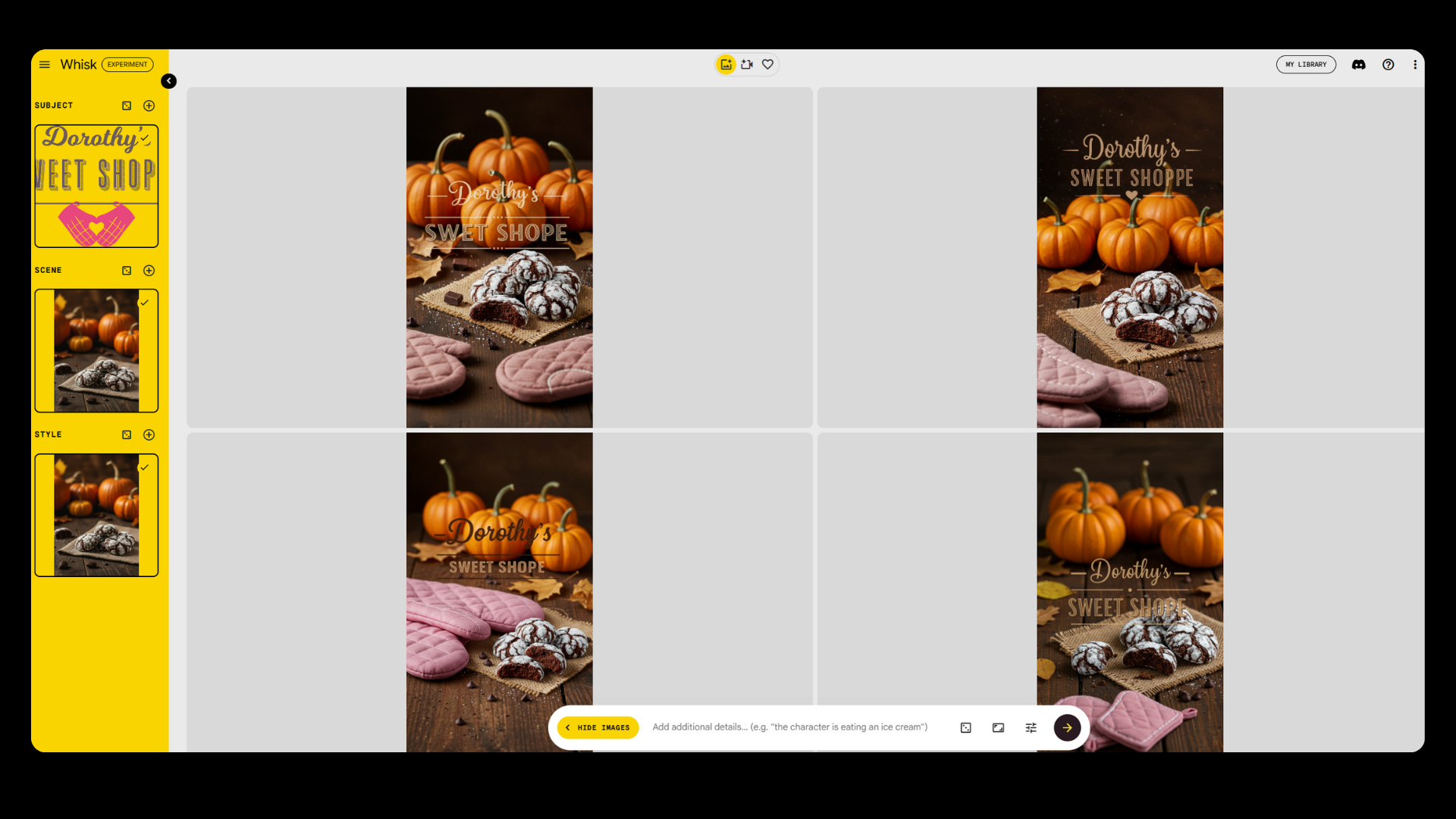
Think of Whisk as a visual blender. It takes three ingredients:
Subject – Your brand element (like a logo, name, or slogan)
Scene – The base photo you're building on (such as an ImageFX creation)
Style – The aesthetic guide or vibe (this can be the same image as the scene)
I uploaded Dorothy’s Sweet Shoppe’s transparent logo as the subject. I added the ImageFX crinkle cookie photo as both the scene and style to maintain a consistent look. This is where the creative part kicks in. Once your inputs are loaded, just click the arrow and let Whisk generate a handful of variations. Each one is slightly different—text placement, color tone, logo integration—some closer to your brand than others.
As you can notice above Whisk won’t always get it right on the first try.
Sometimes the logo is off-center.
Sometimes the text is slightly misspelled.
Sometimes the design just feels... wrong.
But that’s part of the process. This was the creation I chose that is ready to post.

It’s like rolling visual dice. The more you experiment, the closer the results get to feeling like your brand.
Tips to Refine the Results
Hover over a version you like to heart it or click Refine to improve it.
Use the text box at the bottom to add more instruction, like “center the logo” or “move text to the top.”
Keep generating until something clicks.
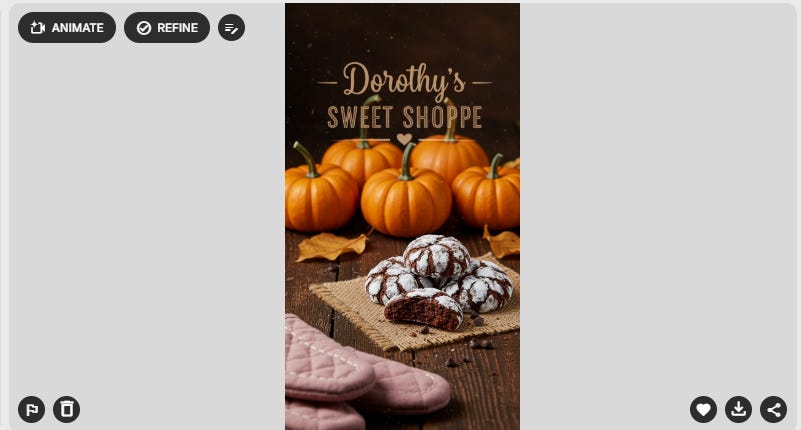
In just a few minutes, I had multiple high-quality, branded posts that looked like they came from a professional design team—without needing any design skills.
⚡ The Early-Adopter Edge
Most small businesses haven’t explored these tools yet. That makes this a prime opportunity to stand out—before AI-powered content becomes the norm.
But let’s be clear: tools like Google Labs, Whisk, and ImageFX aren’t a replacement for professional designers. They’re here to support your day-to-day creative needs—especially for quick-turn social media content, seasonal promotions, and testing ideas before production.
If you have the budget to hire a designer, do it. They’ll elevate your brand in ways tools alone can’t. But when time is short or resources are tight, these platforms let you keep moving—without sacrificing quality.
Google Labs isn’t just an AI playground. It’s a practical extension of your creative process—built to help you look sharp, move fast, and stay in control of your marketing momentum.
Have you explored any of Google Labs’ tools yet? I’d love to hear how you are using them!
Watt Strategies Circle Community is in the works, where I’ll be sharing exclusive walkthroughs, templates, and deeper strategy guides for small businesses and creators adopting AI. Until then, make sure to follow and subscribe here and on LinkedIn to get new posts, experiments, and insights.